Resolving Facebook Business Suite Inbox Syncing Failures for Cross-Platform Messages
Resolving Facebook Business Suite Inbox Syncing Failures for Cross-Platform Messages
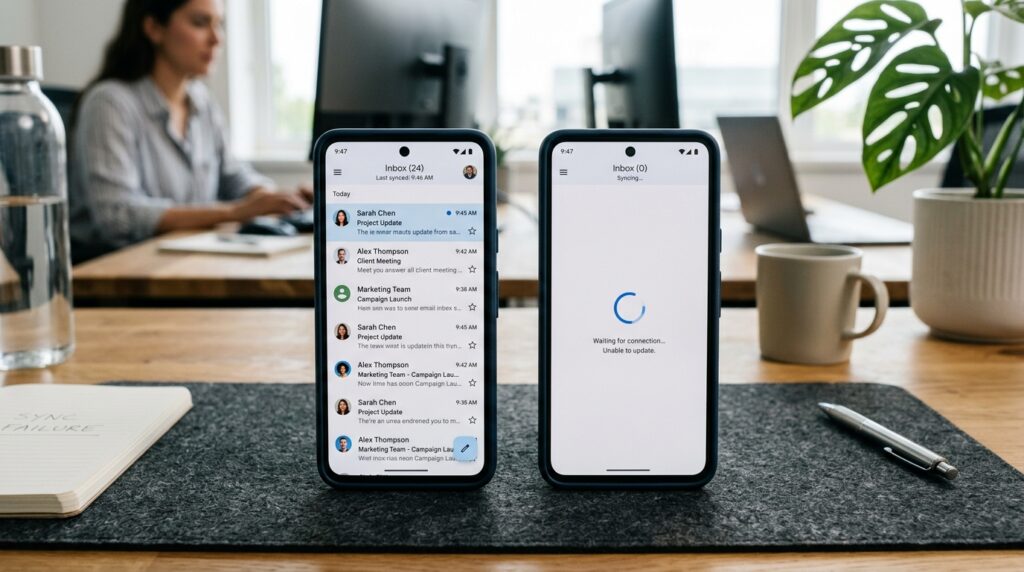
When it comes to managing client contact across Facebook Pages and Instagram accounts, Facebook Business Suite has evolved into a central center. This enables companies to manage messages, comments, and queries from a single inbox. On the other hand, a significant number of users have inbox synchronization issues, in which messages from one platform do not display on the other, or changes do not reflect in real time. Due to the fact that delayed or missing communications might result in missed client interactions, this issue becomes particularly troublesome for firms that depend on quick response times. The issue with synchronization is not always a straightforward defect; rather, it often arises as a consequence of authorization mismatches, API delays, cache conflicts, or account integration difficulties between the systems of Facebook and Instagram. In order to successfully diagnose and resolve these difficulties, it is vital to have a solid understanding of how the infrastructure for cross-platform messaging and communication functions. Companies are able to restore the functioning of their inboxes and minimize communication gaps by analyzing the synchronization layers and system dependencies.
How the Messaging Sync Service in Facebook Business Suite Operates
In order to create a single inbox system, Facebook Business Suite incorporates communications from Facebook Pages, Instagram Direct Messages, and even Messenger on occasion. Backend application programming interfaces (APIs) are responsible for continual data synchronization across platforms. Whenever a user sends a message on Instagram, it is sent to the servers of Facebook and shown in the inbox of the Business Suite as long as the accounts are correctly connected. On the other hand, this level of synchronization may not always occur instantly. Due to the fact that the system is dependent on numerous data streams, which update at different times, there is a possibility that there may be inconsistent results temporarily. It is possible that messages will not display appropriately across platforms if any component of this pipeline experiences a failure or slowdown.
The Most Common Reasons Why Inbox Syncing Does not Work
The wrong connecting of accounts between Facebook Pages and Instagram business profiles is one of the most common reasons for failed synchronization attempts. In the event that the accounts are not successfully linked via Meta’s account center, it is possible that messages will not function properly between the systems. Outdated app versions or an inadequate integration configuration are two more typical problems that might prevent data from synchronizing in the correct manner from occurring. Furthermore, issues in permissions between administrators and page roles might prevent messages from being seen. It is common for people to confuse these structural flaws with technological faults, but in reality, they are mostly configuration-related issues that arise during the account creation process.
The Importance of API Delays and Server Longevity
To transmit message data between Facebook and Instagram, Business Suite depends primarily on application programming interfaces (APIs). These application programming interfaces (APIs) run across several servers, which might sometimes result in lag in the transmission of messages. It is possible that synchronization delays may become more visible during times of heavy traffic or while the server is undergoing maintenance. It may take longer for messages to fully reflect in the consolidated inbox, even if they may display on one platform. There is no loss of data as a result of this delay; rather, there is a momentary lag in processing. When the problem is just a delay in time, having this difference in mind helps eliminate the needless debugging that would otherwise be required.
Conflicts in the cache and problems with local data
The data that is cached inside the Business Suite application might also be a factor in the synchronization issues that occur. It is possible that the inbox may show message data that is either incorrect or partial if outdated cache files are not properly updated. This might give the impression that messages are missing while, in reality, they are in fact kept on the server. You may often remedy these difficulties by forcing a new data sync by clearing the cache or reinstalling the application. When it comes to mobile versions of Business Suite, local device storage conflicts are especially prevalent. This is because background operations have the potential to interfere with real-time changes inside the software.
Restrictions on Access to Resources Based on Permission and Role
When using Business Suite, the visibility of the inbox is affected by the user roles and permissions that are granted under the Page settings panel. Specific chats may not show up in an administrator’s inbox if they do not have complete access to the messaging system. Changes in the structure of corporate accounts or the responsibilities that members of a team play may also disrupt the visibility of messages across several devices. It is common practice to disregard these permission-based constraints, despite the fact that they are a significant contributor to the perception of synchronization failures. For constant message synchronization, it is vital to ensure that role assignments are valid and that individuals have full access to their inboxes.
Inconsistencies with the integration of Instagram and Facebook
Integration between Instagram business accounts and Facebook Pages is essential for cross-platform communications to be successful. It is possible that messages will not sync correctly if the integration is either not complete or is just partly detached. This occurs often when accounts are transferred between personal and business modes or when re-linking is done without properly renewing system connections. Both of these scenarios might cause this issue. Even even minor inconsistencies in account settings have the potential to disrupt the communications stream. One of the most important steps in repairing synchronization difficulties is to do a verification via Meta’s account center to ensure that both accounts are completely linked.
The Influence of Using Multiple Devices on the Stability of Sync
When you use Business Suite on numerous devices at the same time, you run the risk of experiencing synchronization issues. When a message is opened or a response is sent on one device, it is possible that other devices may not instantly replicate those changes. Because of this, the inbox view will have intermittent inconsistencies now. Users who are responsible for handling huge communication volumes may find delays to be puzzling, despite the fact that the system will finally resolve these disputes. In order to maintain greater sync stability across devices, it is possible to limit simultaneous access or ensure that correct refresh cycles are in place.
Methods of Excellence for Resolving Problems with Inbox Sync
In order to overcome synchronization difficulties, companies should first examine the connection of their accounts between Facebook and Instagram and make certain that all permissions are in the appropriate order. It is possible to remove local data conflicts by clearing the cache of the application and upgrading to the most recent version of Business Suite. Additionally, it is essential to ascertain if there are any current platform failures or server problems that might potentially impact messaging systems. It is possible to increase long-term stability by keeping account connections refreshed on a regular basis and avoiding moving accounts without need. Businesses are able to dramatically minimize the number of inbox synchronization issues and guarantee reliable communication across platforms if they maintain an integration configuration that is clean and correctly maintained.